


DOP 4: Draw One Part
4.42.75K Reviews
App Specs
- Version
- 1.1.61
- Updated On
- License
- Free
- Downloads
- 100,000,000+
- Developer
- SayGames Ltd
- Categories
- Puzzle
- Platform
- Android, iOS
Screenshots
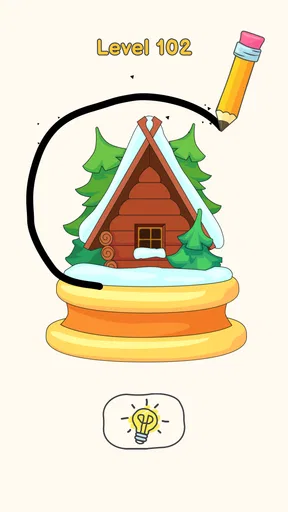
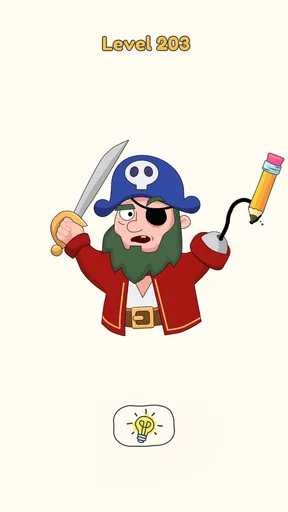
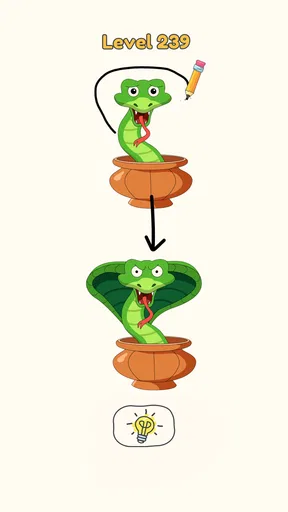
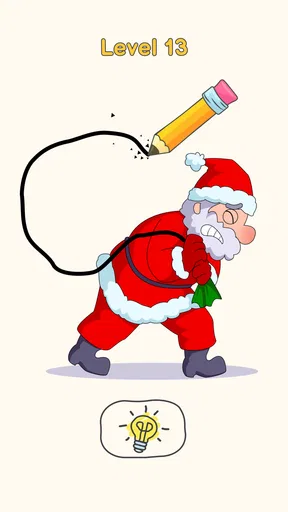
 Analysis by AppCompare
I like puzzle games that ask for a small, clear decision rather than a long stretch of concentration, and this one fits that mood well. DOP 4: Draw One Part turns a simple idea—spot what a picture is missing and sketch it in—into a succession of visual riddles. It works best when I treat each image as a clue rather than as an invitation to draw beautifully: the game is testing whether I can infer the missing idea, not whether I can make a polished illustration.
That distinction matters in everyday play. I can open it while waiting for a bus, solve a few levels, and put my phone away without needing to remember a complicated story or a set of controls. At home, it also makes an easy shared puzzle: one person can suggest what is absent while another makes the attempt. The drawings give the conversation a focus, and a wrong guess often becomes part of the fun rather than a reason to quit.
Getting Started with Creativity
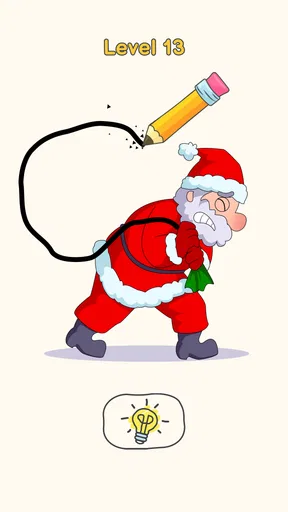
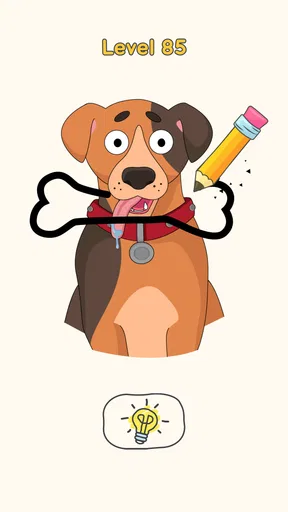
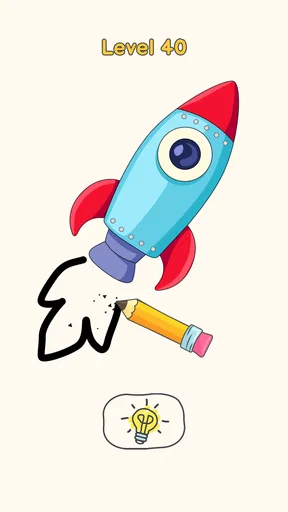
Once I downloaded DOP 4: Draw One Part, I was immediately drawn in—pun intended—by its vibrant and inviting interface. The premise is simple: each level presents you with a picture that’s missing one crucial part. Your task? Complete it using your finger as the pencil. Easy peasy, right? Well, not so fast!
Guides and Analysis on DOP 4: Draw One Part
The initial levels are a breeze, designed to get you comfortable with the mechanics. But as you dive deeper, the puzzles become more intricate, requiring a blend of logic, creativity, and a dash of lateral thinking. I found myself scratching my head more than once, but the "aha!" moment when you finally figure it out is oh-so-satisfying.
My most useful habit is to pause before drawing and name the scene in plain language. If the picture suggests an object, person, or familiar situation, I ask what single detail would make it feel complete. Then I make one deliberate attempt, rather than scribbling several guesses in quick succession. This keeps the puzzle readable and makes it easier to learn from the image when my first idea misses.
When a drawing seems ambiguous, I look for the simplest interpretation that fits the visible clues. A shape can suggest more than one object, so I try not to add decoration or extra lines unless the image calls for them. The game’s central challenge is often choosing the right missing element; careful, minimal drawing is a practical way to communicate that choice with a finger on a small screen.
Features That Keep You Hooked
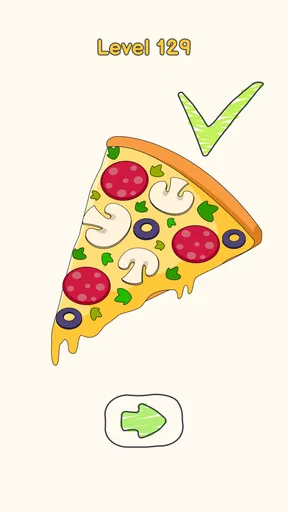
What sets this app apart is its charming art style and clever puzzle design. The drawings are whimsical and sometimes downright hilarious. I mean, who doesn’t want to complete a pizza by drawing the missing slice?
Worth Reading Before You Choose

Google Calendar Makes a Crowded Week Easier to Manage

Ludo King Makes the Most of the Minutes Between Plans

Baby Panda World Brings Quick Play to Modern Phones, but Its Game Library Feels Busy

ESPN’s Live Game View Makes Following Close Games Easier

QuizzLand Review: A Good Fit for Short Trivia Breaks, Not Every Player

Basketball Stars: Multiplayer Is Fast, but Can It Recover When Matches Go Wrong?
Another aspect I loved is how the game encourages you to experiment. There’s no penalty for trying different things, which makes it a fantastic playground for testing out wacky ideas. Plus, the app offers hints if you ever find yourself completely stumped, which, trust me, happens more often than I'd like to admit.
I’d use a hint as a reset for my thinking, not as the first step. Before reaching for one, I check whether I have mistaken the main object, overlooked a small visual cue, or assumed the missing part needs to be drawn in a particular style. That quick review can turn a vague guess into a more focused attempt. If I still cannot see a sensible answer, a hint is useful for getting past the block and back into the rhythm of play.
For a relaxed session with someone else, I find it works better to take turns making the first guess instead of having everyone call out answers at once. One person can describe what they think the picture shows; the other can decide what to draw. It slows the solving down just enough to make the visual reasoning enjoyable, and it avoids turning a casual puzzle into a race.
Oh, and let's not forget the sound effects! They add a fun auditory layer to the experience, making each successful drawing feel like a mini-celebration. It’s like the game is giving you a high-five for your brilliance.
Settings, Pace, and Practical Play
Before settling into a longer session, I’d check the available settings and adjust the sound to suit the place I’m playing. The cheerful effects are part of the game’s personality, but they may not be welcome in a quiet waiting room or beside someone who is working. Keeping the phone muted is an easy way to make a quick puzzle session more considerate without changing how I approach the drawings.
The game is a better fit for short breaks than for someone who wants a deep, continuous challenge. Its straightforward premise means I can begin without a tutorial-heavy warm-up, but the light format also makes it easy to stop after a handful of puzzles. If I’m looking for a long campaign, layered mechanics, or a story to follow, I’d choose a different kind of puzzle game; this one is strongest when I want a small visual problem and a quick payoff.
A practical way to avoid frustrating taps is to make a clear, controlled mark rather than trying to draw quickly with a thumb. On a compact screen, a finger can cover the clue while I work, so I look at the outline first, decide where the missing feature belongs, and then draw. That simple sequence is more reliable than repeatedly tracing over the same spot without reconsidering the answer.
It also suits a spare-minute routine: I can play a level while a kettle boils or during a short pause between tasks, then stop without needing to preserve a complicated train of thought. For a commute, it is most comfortable when I can give the screen a little attention; crowded conditions or frequent interruptions can make visual details harder to inspect. I would not choose it when I need a hands-free activity or a game that rewards uninterrupted concentration over a longer stretch.
Where It Fits Among Puzzle Games
Compared with crosswords, number puzzles, or games built around matching tiles, this one asks for visual inference and a small drawing gesture. That makes it a welcome change when I’m tired of reading clues or tracking a board full of pieces. It is less suited to players who want a measurable strategy to refine over many turns: the appeal here comes from interpreting each picture, and the satisfaction is in recognizing the intended completion.
It also differs from a free-drawing app. I am not given an open canvas to make whatever I like; the picture narrows the possibilities and gives each attempt a purpose. That constraint is what makes the puzzles approachable, though it can also be a limitation if I want artistic freedom or a tool for making my own sketches. I’d pick a drawing app for that, and a more traditional logic game when I want rules that build into a deeper system.
The release came from SayGames Ltd, and the game sits in the puzzle category. It is free to download, with optional in-app purchases priced from $0.99 to $24.99 per item. I’d approach it as something I can try without paying upfront, while remembering that free access and optional purchases are different things. Its content rating is Everyone 10+, so I’d still check that rating against the needs of a particular child rather than assuming every puzzle game is suitable for every age.
The game has a 4.5 average from around 276,000 ratings and has passed 100 million installs, which suggests that its quick visual format has broad appeal. Those figures are useful context, but they do not tell me whether its style matches my own taste. I would expect the most enjoyment from someone who likes playful images, simple controls, and occasional moments of lateral thinking—not from someone who needs a consistently difficult brainteaser.
Features That Keep You Hooked
What sets this app apart is its charming art style and clever puzzle design. The drawings are whimsical and sometimes downright hilarious. I mean, who doesn’t want to complete a pizza by drawing the missing slice?
Another aspect I loved is how the game encourages you to experiment. There’s no penalty for trying different things, which makes it a fantastic playground for testing out wacky ideas. Plus, the app offers hints if you ever find yourself completely stumped, which, trust me, happens more often than I'd like to admit.
I’d use a hint as a reset for my thinking, not as the first step. Before reaching for one, I check whether I have mistaken the main object, overlooked a small visual cue, or assumed the missing part needs to be drawn in a particular style. That quick review can turn a vague guess into a more focused attempt. If I still cannot see a sensible answer, a hint is useful for getting past the block and back into the rhythm of play.
For a relaxed session with someone else, I find it works better to take turns making the first guess instead of having everyone call out answers at once. One person can describe what they think the picture shows; the other can decide what to draw. It slows the solving down just enough to make the visual reasoning enjoyable, and it avoids turning a casual puzzle into a race.
Oh, and let's not forget the sound effects! They add a fun auditory layer to the experience, making each successful drawing feel like a mini-celebration. It’s like the game is giving you a high-five for your brilliance.
Limits and a Last Word
The low-pressure approach has a trade-off: players who want firm logic rules, increasingly complex systems, or a way to compare detailed solutions may find the format too light. Some puzzles can also leave me unsure whether I have misunderstood the scene or simply drawn my idea unclearly. When that happens, I go back to the basic workflow—identify the picture, choose one missing feature, and make a clean attempt—before deciding that I need a hint.
The current version is 1.1.52, and it supports Android 8.0 or later. I’d check that requirement before trying to install it on an older device. The game’s simple touch-based interaction is easy to understand, but the size and comfort of the screen still affect how confidently I can make a small drawing; if precision is uncomfortable, a different puzzle style may be a better fit.
If you’re wondering whether it is a good choice for a child, the Everyone 10+ rating is a useful starting point, but I’d still consider the child’s preferences and the optional purchase element. For a puzzle fan who enjoys silly visual clues, it can be a pleasant shared activity. For someone who prefers word problems, strict logic, or a more substantial solo challenge, I would look elsewhere rather than expecting this game to become something it is not.
If you’re someone who loves puzzles and a good laugh, this app is a must-download. DOP 4: Draw One Part doesn’t just test your creativity; it also provides a mental workout wrapped in a fun package. It’s perfect for killing time during a commute or just unwinding after a long day.
And the best part? It’s free to download. There are in-app purchases, but they’re not intrusive, allowing you to enjoy the full experience without feeling pressured to spend a dime. That’s a win-win in my book!
In conclusion, DOP 4: Draw One Part is a delightful mix of creativity and challenge that’s sure to entertain both young and old alike. Just be prepared to get a little addicted; you might find yourself saying, "Just one more level," more times than you’d like to admit. Happy drawing!
Pros
- Engages creativity through drawing challenges.
- Simple
- intuitive controls enhance playability.
- Offers a wide range of levels for long playtime.
- Visually appealing with colorful graphics.
- Regular updates introduce fresh content.
Cons
- Ads can interrupt gameplay frequently.
- Some puzzles may feel too simple.
- Limited hints available without purchase.
- Requires internet for additional features.
- Occasional bugs may disrupt progress.
FAQs for DOP 4: Draw One Part
What is the main objective of DOP 4: Draw One Part?
DOP 4: Draw One Part is a puzzle game where players are tasked with completing drawings by sketching missing parts. The primary goal is to use your creativity and intuition to figure out what's missing and draw it in to complete the image. This game challenges your problem-solving skills and artistic sense.
Is DOP 4: Draw One Part suitable for all ages?
Yes, DOP 4: Draw One Part is designed to be family-friendly and suitable for all ages. With its simple mechanics and intuitive gameplay, both kids and adults can enjoy solving puzzles. However, some levels may require creative thinking, which can be an engaging challenge for older players.
Does DOP 4: Draw One Part require an internet connection?
DOP 4: Draw One Part can be played offline, which makes it convenient for users who may not always have internet access. However, certain features, like updates or accessing additional content, might require an internet connection. Playing offline ensures you can enjoy the game anytime and anywhere.
Are there any in-app purchases in DOP 4: Draw One Part?
Yes, DOP 4: Draw One Part offers in-app purchases. These can include hints or additional features that enhance gameplay. While the game is free to play, these purchases provide an option for players who wish to progress faster or need extra assistance on challenging levels.
What devices support DOP 4: Draw One Part?
DOP 4: Draw One Part is available on both Android and iOS platforms, making it accessible to a wide range of smartphone and tablet users. Ensure your device meets the minimum system requirements for optimal performance, which typically includes having an up-to-date operating system and sufficient storage space.


